What is the fair billing guarantee?
Sometimes things don't go to plan, and you shouldn't have to pay for getSoapy when you can't use it properly. In exceptional circumstances, the fair billing guarantee lets you take time off paying. For example, when:
- you're still moving your round across from another app
- something in getSoapy wasn't working properly
- illness or injury meant you couldn't work
- you're facing financial difficulties
Your word is enough, and nobody needs to approve it.
The fair billing guarantee is available on every paid plan. Only the account owner can add a waiver.
Add a waiver
Go to
Tools>Settings>Team & Billing>Fair billing guaranteeor search forFair billing guarantee.Click
Add waiver.Choose a
Lengthof 7, 14 or 28 days, and tell us why inReason.Click
Add waiver.
Your plan's renewal date moves later by the number of days you chose, so you don't pay for that time. It works the same way on monthly and yearly plans. You'll see the new renewal date on the @docLink('billing', 'Billing & Plan') page.
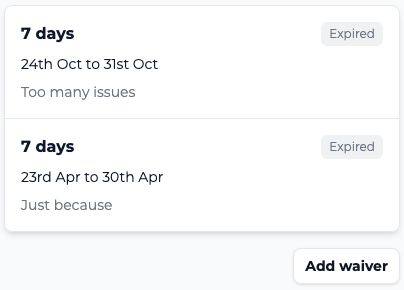
Your waivers are listed on the Fair billing guarantee page, with the dates they cover and the reason you gave. After adding a waiver, you'll need to wait a little while before you can add another, and the page shows the date you can add the next one from.