How do I create an announcement?
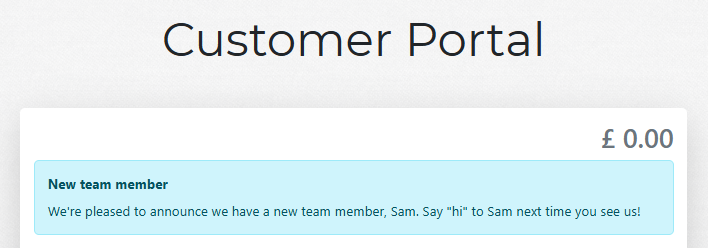
Got some important information to share? Use announcements to display it in the customer portal and in customer emails. Here's an example of how it will look in the customer portal:
Announcements are available on the Advanced and Pro plans.
Go to
Tools>Settings>Communication>Announcements.Click the
+icon in the top-right corner.Enter a
Titlefor your announcement (this will be at the top of what the customer sees).Enter your announcement
Content.If you don't want the announcement to be visible just yet, toggle the
Pausedoption.If you only want the announcement to be displayed for a limited time, toggle the
Set end dateoption and select anEnd date.
Beware of having an announcement displayed longer than it should or having too many announcements active at the same time.
- Click
Addto save your announcement. Unless you've selectedPaused, it will be displayed in the customer portal and included in customer emails right away until theEnd date.