How do I manage my plan and payment method?
To access certain features in getSoapy, you'll need to upgrade your plan.
View or change your current plan
To view your current plan, go to More > My Business > Billing & Plan. Your current plan will be displayed under "Plan".
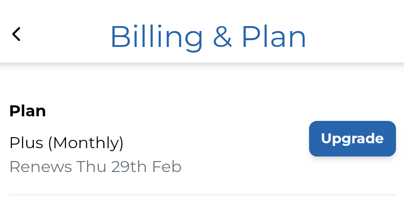
Click Upgrade to compare or change plans.
Add or change your payment card
You'll need to add a payment card if you've selected a paid plan, or to purchase lead and SMS credits.
To view your current payment card, go to More > My Business > Billing & Plan. Your current payment card will be displayed under "Payment method".
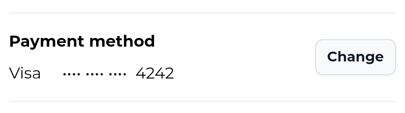
Select Add to add your first payment card, or Change to change your payment card.