What's new in getSoapy: Q1 2026 roundup
Posted by getSoapy on 15th April 2026 in Product Updates . Last updated: 9th October 2026
If Q1 had a theme, it was this, more control, less faff, whether that's planning your week, messaging customers at the right time, or keeping your account locked down properly.
Here's what landed in Q1 2026, and why it actually matters when you're trying to run a service business without living inside your admin.
To check out the latest updates, see the September 2026 release recap.
Smarter customer messaging (without spamming people at 7am)
Notifications got a proper upgrade
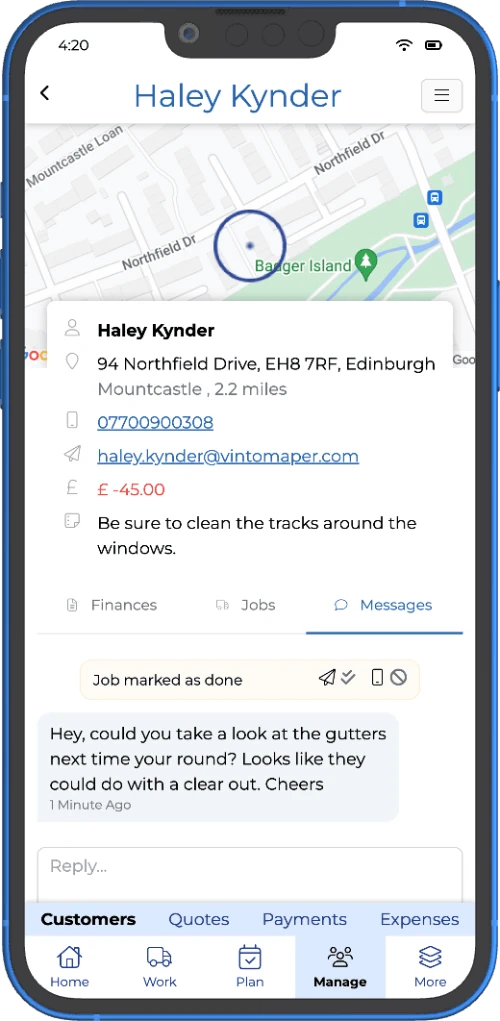
We rebuilt the notifications system so you can control when messages go out, not just if they go out.
You can now set some notification types to:
- Immediately (same as before)
- Scheduled (choose a time that suits your customers, and your sanity)
- Manual (send them in a batch when you're ready)
A classic example is "Job due tomorrow", instead of it firing early in the morning (and making you look like you've been up since 5am, which is frankly suspicious), you can schedule it for the evening, or set it to manual and send it once you've planned the day.
You'll now manage settings and templates in one place: Settings → Communications → Notifications
Add "job occurrence notes" to message templates
If you've ever skipped a job and wanted the customer to see why without writing a one-off message every time, this one's for you.
You can now include job occurrence notes in templates using:
{{job.occurrenceNotes}}
Better scheduling and planning (because the calendar is real life)
Block out dates in your Calendar
You can now block out dates for holidays, van servicing, or those chunky jobs that eat a whole day.
Blocked dates show up in Calendar, and you'll get a warning if you try to schedule work on one (you can still override it, because life happens).
Bonus detail that matters: if suggested jobs land on a blocked date, they'll shift to the next available date, and they'll respect any schedule constraints like "Mondays only".
(Included in Advanced and Pro.)
Calendar updates: replan days and schedule a full week
We made it quicker to plan without loads of tapping around:
- Replan day reorders that day's jobs into the best route, with estimated times
- Schedule week lets you schedule the whole week at once
- Cleaner toggles and buttons so switching views is less "where's that button gone now?"
If you're using getSoapy for round management and optimisation, these changes make planning the week feel a lot more "done in five minutes" and a lot less "why is it already lunchtime".
Jobs and invoicing: clearer, more flexible, less chasing
Use different addresses for customer jobs
This is a big one, and it's been heavily requested.
You can now set a different address on a job, instead of always using the customer's main address. Handy for:
- Commercial customers (billing HQ vs work site)
- A customer paying for a family member's property
- Any "same person, different location" situation
When you schedule jobs and optimise routes, getSoapy uses the job address, not the customer address.
Easily see which jobs have outstanding invoices
On the Jobs page, you can now spot unpaid invoices at a glance:
- Yellow invoice icon = outstanding invoice
- Red invoice icon = overdue invoice
If a customer has more than one outstanding invoice, you'll see an icon for each one. Subtle, but genuinely useful when you're trying to work out who needs a nudge.
This sits nicely alongside our core invoicing tools if your goal is to spend less time chasing and more time getting paid.
Invoice templates: edit raw HTML (for the brave)
If you want more control over the look of your invoices, you can now edit the raw HTML in invoice templates.
This is not for everyone, but if you're comfortable with basic HTML (or you like living dangerously), it gives you more freedom over formatting and layout.
Quotes: faster finding, tidier estimates
Improved quote search and saved filters
Quotes are now easier to find and manage:
- Filter by status
- Filter by submitted date
- Save searches so your favourite filters are ready next time
Cost breakdown improvements
You can now:
- Delete cost breakdowns when you need to start again
- Download a cost breakdown as a PDF directly from getSoapy
It's the kind of change you don't think about until you need it, and then you're weirdly grateful it exists.
Portal chat just got more useful (goodbye "can you WhatsApp me that photo?")
Attachments in portal chat (Quotes + Customers)
You and your customers can now upload attachments in portal messages, for both Quotes and Customers.
That means photos, videos, documents, the lot, all in the same conversation, without bouncing between WhatsApp, email, and text messages like it's 2014.
If you're already using the customer portal, this is a proper quality-of-life upgrade, because everything stays in one place, and you can actually find it again later.
(Available on Pro.)
Reporting and exports: more "show me the numbers" energy
New report: Annual Recurring Revenue (ARR)
There's a new ARR report, which looks at the annualised value of your repeat work (not one-off jobs, and not cash collected).
ARR is great for spotting whether your business is growing or shrinking, even if cashflow is a bit lumpy month to month.
You'll find it in Reports. CTA: /reports/recurring-revenue
Download report chart data as CSV
Most report charts now let you download the underlying data as a CSV, which is ideal for accountants, tax advisers, or anyone who prefers spreadsheets to… well, anything else.
Better file names for exports and invoices
Downloads are now less "mystery file 47":
- Customer invoices include customer code, invoice number, and date
- Exports include export type and date range
Your Downloads folder may still be a state, but at least it's a slightly more organised state.
Security: Multi-Factor Authentication (MFA) is here
We now support MFA (2FA) to help secure your account.
When enabled, you'll need a one-time code (from an authenticator app or password manager) when logging in on a new device, which makes it much harder for someone to get in even if they've got your password.
You can also create recovery codes, which is the boring but essential bit you'll be glad you did if your phone ever goes for a swim.
Path: More → Security → MFA Devices
Customer comms: Announcements (quick updates without a full broadcast)
Introducing announcements
Announcements are a new way to share important info with customers. They appear:
- in the customer portal, and
- in your email notifications
They're ideal for quick updates like weather delays, service changes, or gentle nudges for reviews, without sending a full broadcast.
Path: Tools → Settings → Communication → Announcements Note: Announcements are available in the new app design.
If you do need to message lots of customers at once (service change, last-minute availability, that sort of thing), you'll still want customer broadcasts.
Website quote widget: use your own Terms and Conditions
You can now select your own Terms and Conditions document for the quote widget, so customers agree to your terms when requesting a quote, not the default ones.
You can choose any document from Policies & Documents (as long as it's set to "Show on website").
Path: Quote options (under Integrations)
A couple of quieter improvements that still help
- Help guides now show up in Search in the new app design, so people can find answers without rummaging around.
- Social links are now included in email notifications, so customers can find and follow your socials more easily.
Feature suggestions now have voting (so you can nudge us properly)
We've added a proper Feature Suggestions area where you can:
- vote ideas up
- vote ideas down
- suggest your own
It helps us see what will actually help the most people, instead of just whoever shouts the loudest, although we do respect a good shout.
What should you do next?
If you want a simple "start here" list:
- Check Notifications settings and switch anything time-sensitive to Scheduled or Manual
- Block out your holidays in Calendar before you forget (you will forget)
- If you do recurring work, look at the ARR report and see what's changing
- Turn on MFA, it's one of those boring wins that stops disasters later
- If you handle photos or site docs, start using portal attachments so everything stays in one place
Try getSoapy Pro
The best way to experience how getSoapy can help your business is to try it for yourself.
- 1 Month of Soapy Pro
- 25 Free Lead Credits
- 100 Free SMS Credits
- No payment details required
- Cancel any time