getSoapy 2025 in Review - the biggest updates and improvements
Posted by getSoapy on 7th January 2026 in Product Updates . Last updated: 2nd July 2026
If 2025 had a theme for getSoapy, it was this, less admin, fewer "where on earth is that setting?", and more tools that help you get paid, stay organised, and keep work moving even when signal drops off a cliff.
We shipped over 1,200 changes across the year, including 59 announcement-worthy updates in What's New. Some were big, headline features, others were the kind of quiet improvements that save you 10 minutes a day and add up to a full-on life upgrade by December.
Here are the highlights, with the biggest ones up top.
The biggest releases of 2025
📱 Use the app offline (Experimental)
This was one of the most requested features and for good reason. You can now keep working when you've got no internet. With Offline mode on, you can still view your work and customer data, and mark jobs as done, then sync everything once you're back online.
Practical impact: fewer "I'll do it later" admin moments, and less chance of missing updates because you were in a blackspot.
💰 Profit & Loss Report
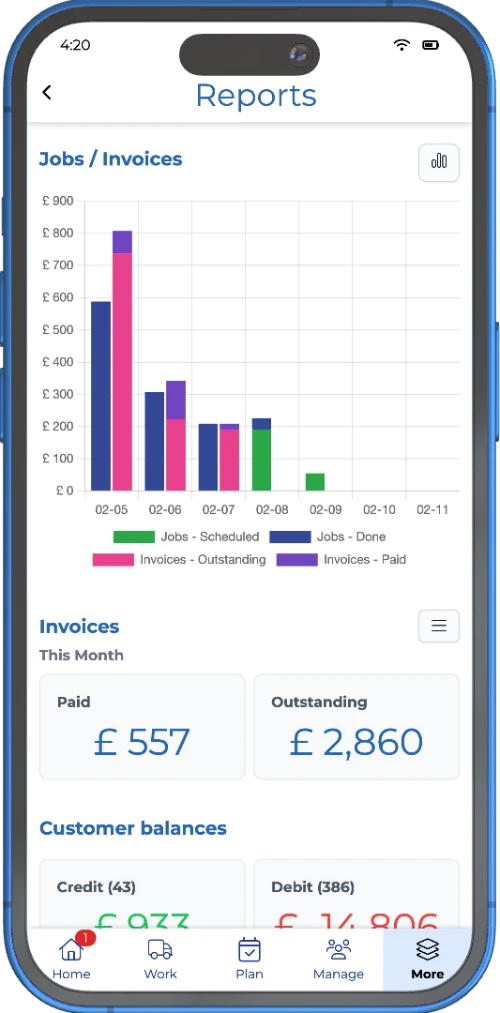
A proper Profit & Loss report landed in April, giving you a clearer view of how the business is doing, not just what's coming in.
You can view your figures on:
- Accrual basis (invoices), or
- Cash basis (payments received),
plus a graph for trends and a table for exact numbers.
Practical impact: a much easier way to answer "are we actually making money?" without exporting a dozen spreadsheets and having a quiet cry.
📎 Attachments got serious (Quotes, Jobs, and Job Done)
Attachments had a big year, and it's a genuinely useful one. You can keep photos and files with the work, which means fewer "hang on, let me find it" moments and better proof if anything's disputed.
- Attachments on quotes and jobs (Pro), so customers can add files to quote requests, and you can keep job info like photos or spec docs with the job.
- Attachments when marking jobs as done (Pro), perfect for before and after photos, proof of completion, or notes on why something couldn't be done.
- You can also update job history afterwards if you need to correct something.
Practical impact: better records, fewer disputes, and less "I swear I took a photo of that" chaos.
🔍 Saved searches on the Jobs page
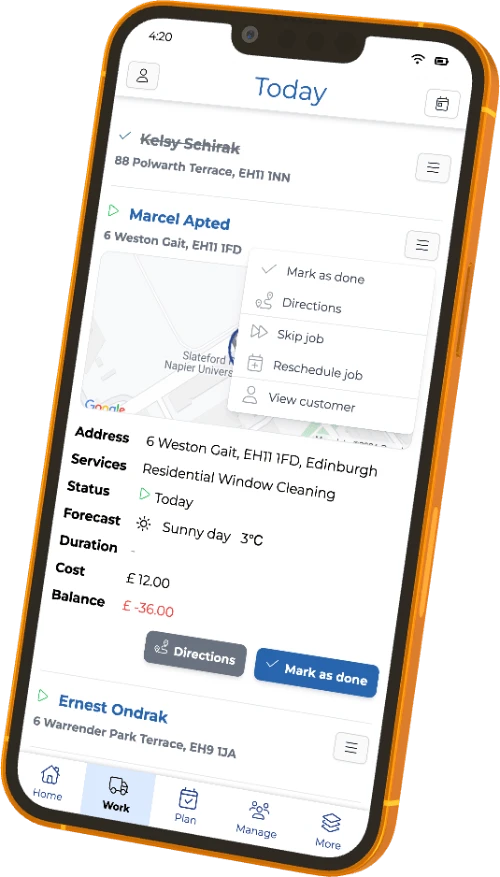
Saved searches landed in March, which sounds small until you realise how often you repeat the same filters.
getSoapy even added a few helpful defaults like:
- To schedule (Upcoming, Due, Overdue)
- Planned (Scheduled, Today, Tomorrow, Late)
- Skipped (Skipped, Customer Skipped)
Practical impact: less tapping about, faster planning, and easier spot checks.
💳 New plans, including Starter (and the Kickstart program)
In January, we rolled out new plans (Starter, Advanced, Pro), replacing the older plan names. The goal was simpler pricing, clearer feature sets, and a better on-ramp for new businesses.
We also launched the Kickstart program to help new local service businesses get going.
If you missed it at the time, here's the full story: new plans and the Kickstart program.
Practical impact: easier plan choices and better support for businesses at different stages.
🎨 A new app design (Experimental)
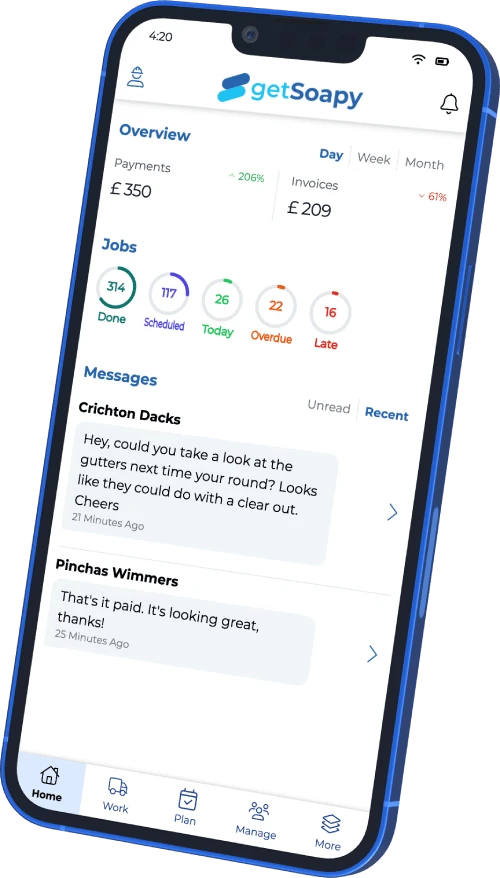
In December, we opened up an early look at a redesigned getSoapy app, with:
- simpler navigation
- global search
- dark mode
- a better homepage overview
Practical impact: it's all about speed, finding things quicker, and making the app feel less "menu treasure hunt".
⚡ The "this saves me time every week" improvements (Medium importance)
💳 Payments got quicker and clearer
A few updates here that add up nicely:
- Pay by Bank (July), customers pay through their banking app, it's secure, and typically cheaper than card payments. It's available in the Payment or Customer Portal widgets.
- Automatic charges now wait 5 minutes (June), after you mark a job as done, so you can cancel if you tapped the wrong thing, or tweak the invoice first.
- Instant payouts include pending balance (May), so many accounts can get money out earlier (with a small fee) instead of waiting on clearance.
If you're building out your "get paid faster" setup, it's worth a look at online invoicing and payments too.
Practical impact: fewer awkward payment chases, fewer mistakes, and more control over cashflow.
📅 Calendar, scheduling, and routes got smoother
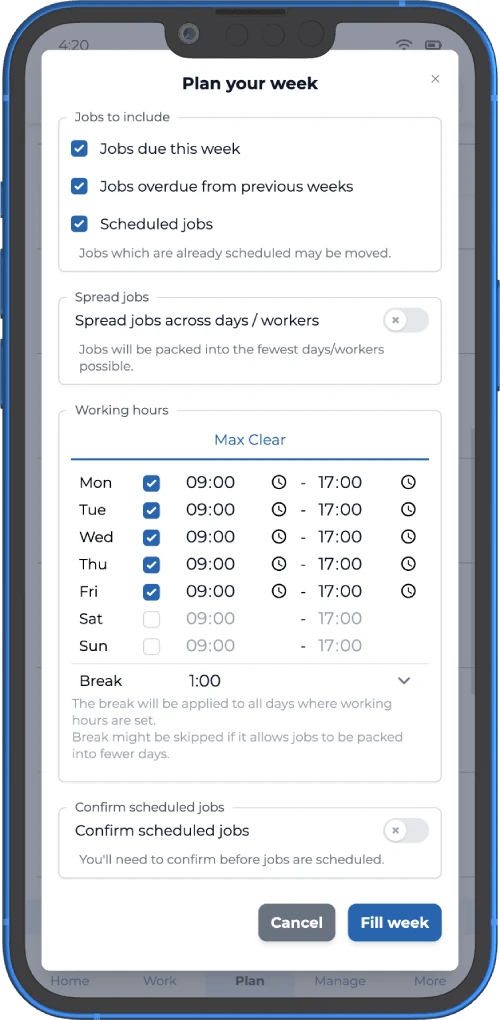
Planning work is where tiny friction becomes big pain, so 2025 delivered a handful of solid upgrades:
- Calendar improvements (July): Smart Planner separation, drag and drop reordering, quick add suggested jobs, and forecast totals.
- Work view improvements (January): better filtering (including unassigned work), automatic route optimisation (plan dependent), and reuse of similar work orders.
- Optimise routes from any location (September): start routes from your current location or a custom address, not just your business address.
If you're trying to save time and fuel, this ties in nicely with route optimisation software for window cleaners.
Practical impact: quicker planning, fewer wasted miles, and less time rearranging the day.
🔒 Customer data control (GDPR-friendly options)
In August, we added the ability to archive, anonymise, or fully delete customers.
Anonymising helps you stay GDPR compliant while keeping work history intact, deleting removes everything.
Practical impact: proper data housekeeping without losing your records.
👥 Better controls for teams
In October we introduced a Limited Worker role, so workers can't see customer balances or job costs.
Practical impact: safer access for teams, without giving away the financial side of the business.
🔔 Notifications got more flexible
A couple of updates that make customer comms clearer:
- Split "Job Done" notifications into Paid vs Owing (June), so your message matches what's actually happening.
- Send individual notifications on demand (October), handy for resending a welcome message or correcting missed notifications.
Practical impact: clearer messaging, fewer "do I need to pay?" texts.
🤖 Sid got a lot more useful
Across the year, Sid got upgrades that are less gimmick, more "helpful extra pair of hands", including:
- better search across customers and jobs
- bulk updates
- help with imports and templates
- business profile and services updates
- checking payment options
- and towards the end of the year, creating broadcasts for you
Practical impact: less admin time, and more "just tell Sid what you want" moments.
✨ Small but mighty: quick wins worth a mention
Not everything is headline material, but these changes still matter in real life:
- custom date ranges for exports and reports
- improved job search filters and saved search flows
- viewing historic jobs in the calendar
- more flexible job duration settings
- cleaner app experience with fewer "success" popups
They're the kind of improvements you only notice when they're missing, like tea bags and working knees.
What to expect in 2026 🔮
We've got several big features in the pipeline for 2026, and we'll keep doing what we do best in between, lots of small, continuous changes that make getSoapy faster, clearer, and easier to use day to day.
The best part is, the direction comes from you. If something feels clunky, missing, or just plain annoying, tell us. Drop Sid a message in the app with what you're trying to do (and what got in the way), and we'll use that feedback to keep improving.
Looking for more updates? Check out the June 2026 release recap.
Try getSoapy Pro
The best way to experience how getSoapy can help your business is to try it for yourself.
- 1 Month of Soapy Pro
- 25 Free Lead Credits
- 100 Free SMS Credits
- No payment details required
- Cancel any time