February 2026 release recap
Posted by getSoapy on 1st March 2026 in Product Updates . Last updated: 2nd July 2026
February's releases are a good mix of "this will make my day easier" and "this will save my bacon if something goes wrong". Here's what's new, why it matters, and where to find it.
Block out dates in your Calendar (Advanced + Pro)
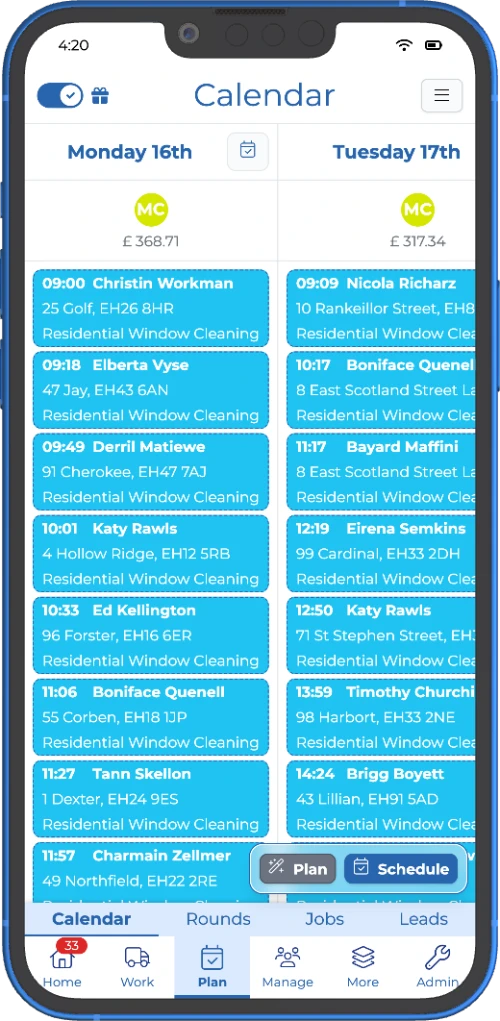
If you've ever booked a job on the same day your van's in for a service, you already know why this one's useful.
You can now block out dates in your Calendar, perfect for:
- holidays and days off (yes, you're allowed)
- van servicing and maintenance days
- training days
- chunky jobs that eat an entire day (or two)
How it works
- Blocked dates show up highlighted in the Calendar
- If you try to schedule work on a blocked date, getSoapy gives you a warning, but you can still override it if you really need to
- If you're using suggested jobs, anything landing on a blocked date gets moved forward to the next available date, and it respects schedule constraints like "every Tuesday" or "second week of the month"
Where to do it
- In Calendar, open the menu and choose Add a blocked date, or
- When scheduling a job, toggle Block date on
This is one of those features that's quietly brilliant because it stops problems before they happen.
If you want to see how this fits into the bigger picture, here's how we think about work scheduling and round planning for local service businesses.
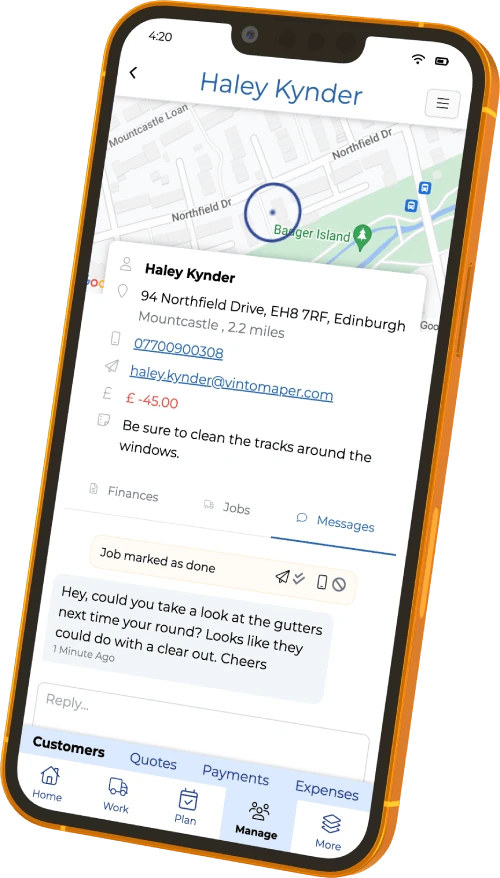
Attachments in portal chat (Quotes + Customers, Pro)
Sharing photos should not require three apps, two follow-ups, and a prayer, so we've made it simple.
You can now send and receive attachments in customer portal messages, in both:
- Quotes
- Customers
So you can request and share photos, videos, and files without bouncing between email, texts, and messaging apps, it all stays neatly in one place.
Good for
- before-and-after photos
- access photos (gates, meters, parking)
- job details, specs, or reference images
- "can you confirm this is the right stain / finish / part?" moments
This is built into the getSoapy customer portal, so customers can upload what you need, and you can keep the whole conversation tied to the quote or customer record.
Multi-Factor Authentication (MFA / 2FA) for logins
Security updates aren't always flashy, but they're the sort of thing you only appreciate once something goes wrong, and then you really appreciate them.
getSoapy now supports Multi-Factor Authentication (MFA) to help secure your account. When it's turned on, logging in on a new device needs:
- your password, and
- a one-time verification code from an authenticator app (or a password manager that generates codes)
Worth noting: getSoapy does not send MFA codes by SMS or email, it uses app-based codes, which are generally the safer option.
Where to set it up
Go to More > Security > MFA Devices and add a device.
You also get recovery codes, so if you lose access to your authenticator, you've still got a way in. Store these somewhere safe, and not on the same phone you use for MFA, obviously.
(And if you're thinking "why bother?", remember your account holds customer details, invoices, and messages, it's worth locking down.)
New report: Annual Recurring Revenue (ARR)
If your business relies on repeat work, ARR is a handy way to track whether you're growing, flat, or slowly shrinking without noticing.
getSoapy has added a new Annual Recurring Revenue (ARR) report. It shows the annualised value of repeat jobs only, not one-off work and not money actually paid.
That makes it useful for spotting trends like:
- you've added new repeat customers (ARR goes up)
- you've lost a few regulars (ARR drops)
- you're stable, but not growing (ARR stays flat)
Where to find it
Head to the Reports section in the app.
Edit raw HTML in invoice templates (Advanced users)
This one's for the brave, the curious, and the "I just want my invoices to look exactly right" crowd.
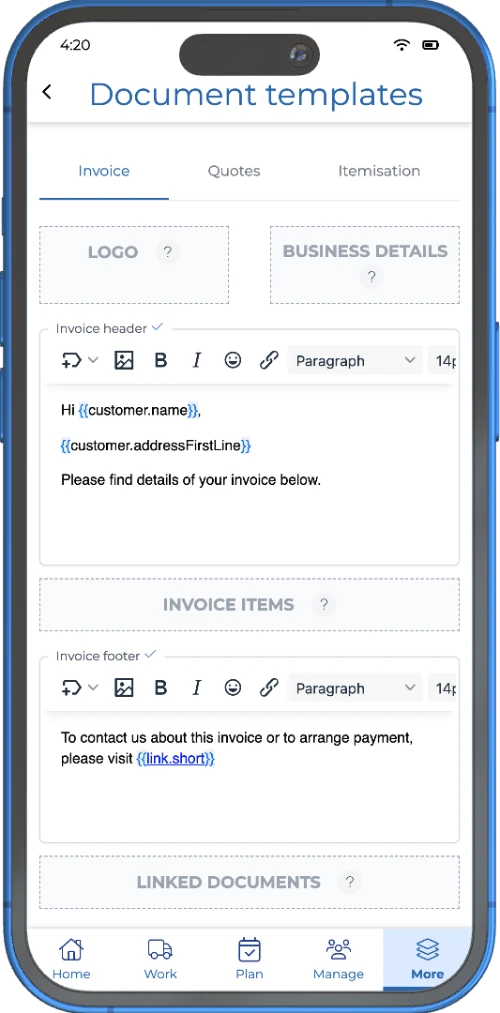
You can now edit the raw HTML in your invoice templates, which gives you more control over layout and styling. It's marked as an advanced feature for good reason, most people won't need it, but it's there if you do.
How to access it
Use the < > button to open the HTML editor in invoice templates.
If HTML isn't your thing, you can tell Sid what you want your invoice to look like, and he can suggest the HTML to get you there.
If you're more in the "set it up once and crack on" camp, here's the broader invoicing feature overview.
The February vibe: fewer scheduling mistakes, smoother comms, stronger security
If you only try two things this month, make it Blocked Dates (because your calendar should work for you) and MFA (because passwords alone are a bit 2012).
For our latest monthly updates, read the June 2026 release recap.
For the full quarter in one view (January–March), read the Q1 2026 roundup.
Try getSoapy Pro
The best way to experience how getSoapy can help your business is to try it for yourself.
- 1 Month of Soapy Pro
- 25 Free Lead Credits
- 100 Free SMS Credits
- No payment details required
- Cancel any time