January 2026 release recap
Posted by getSoapy on 1st February 2026 in Product Updates . Last updated: 2nd July 2026
January's updates are all about saving you time and keeping things tidy, planning work faster, tracking money with fewer faffs, and giving you a new way to keep customers in the loop without firing off a full broadcast every five minutes.
Here's what's new.
Set a different address for a job (not just the customer)
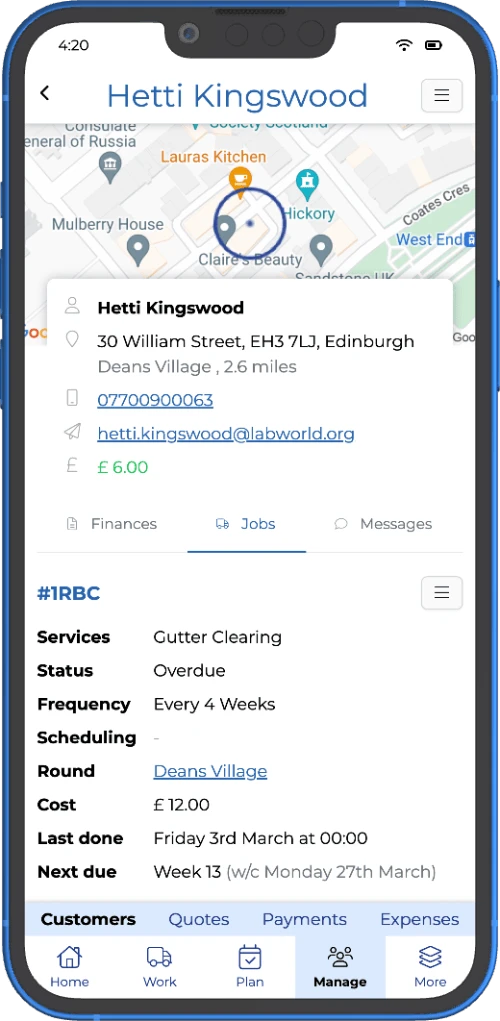
This one's been high on the wishlist for ages, and we've now shipped it.
You can now set a different address on a job, instead of always using the customer's main address. It's ideal for:
- commercial customers where the billing address is different to the work site
- customers who pay for a family member's property
- anyone with multiple sites where you still want one “main” customer record
How to use it: Edit the job, select Use a different address, then enter the job address you want.
Good to know: When you schedule jobs and optimise routes, getSoapy will use the job address (not the customer's main address), so your routing is based on where the work actually happens. Sensible, really.
If you want to lean into this from a “time and fuel” angle, here's the bigger picture on route optimisation software for window cleaners.
Calendar updates: replan a day, or schedule the whole week in one go
We've improved the Calendar view to make planning quicker and easier, especially when you're juggling a week that's already half-booked.
Replan day (now with smarter ordering and timings)
Replan day now puts that day's existing jobs into the best order and adds estimated times, so you spend less time dragging jobs around like it's Tetris.
Schedule a full week at once
There's now a Schedule button at the bottom of the Calendar that lets you schedule a full week in one go.
Easier switching between Smart Planner and scheduled jobs
You'll also see:
- a new Smart Plan toggle at the top
- simpler buttons at the bottom, so it's easier to switch views without losing your place
If you're the kind of person who likes to get the week sorted on a Sunday evening (with a cuppa and a strong sense of optimism), you'll probably appreciate the improvements to scheduling software for cleaning business.
Introducing Announcements (a new way to communicate with customers)
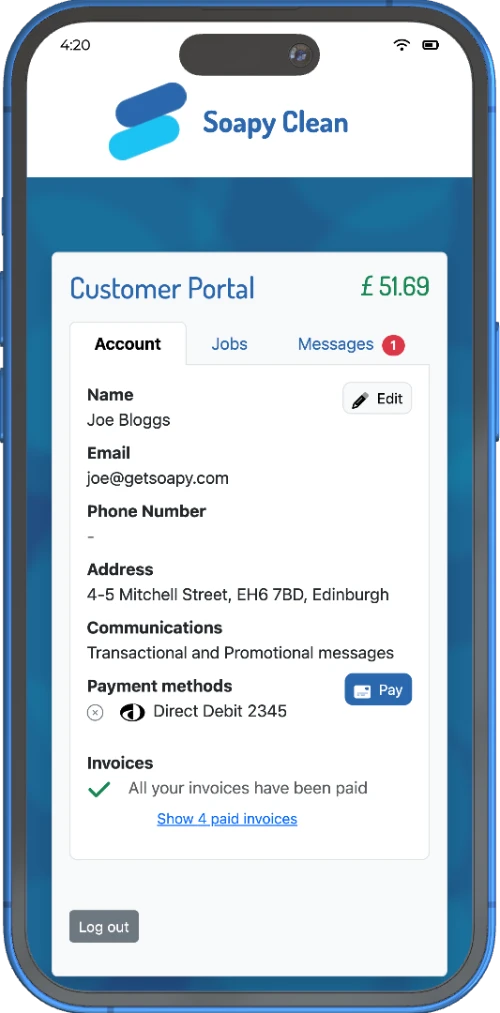
We've introduced Announcements, a new way to share updates with customers that's lighter than a full broadcast, but more visible than hoping they'll read your mind.
Announcements appear:
- in the customer portal, and
- in your email notifications, so customers see them when they're already checking their account
They're great for quick updates like:
- weather delays and running behind
- “we're working through the area” messages
- friendly nudges to leave a review or refer a friend
Where to find it: Announcements are available in the new app design under: Tools > Settings > Communication > Announcements
If you're not using the new design yet, you can turn it on here: More > getSoapy > Experimental features
You might also like a look at our customer portal software if you want a quick refresher on what customers can see and do in there.
See outstanding invoices on the Jobs page (no squinting required)
You can now spot unpaid invoices directly from the Jobs page, using invoice icons:
- Yellow invoice icon means there's an outstanding invoice
- Red invoice icon means the invoice is overdue
- If a customer has more than one outstanding invoice, you'll see an icon for each one
It's a small change, but it makes it much easier to spot what needs chasing, without playing “hunt the invoice”.
If you're tightening up your process, this pairs nicely with our wider guide to invoice software for window cleaners.
Better tip tracking (including cash and bank transfers)
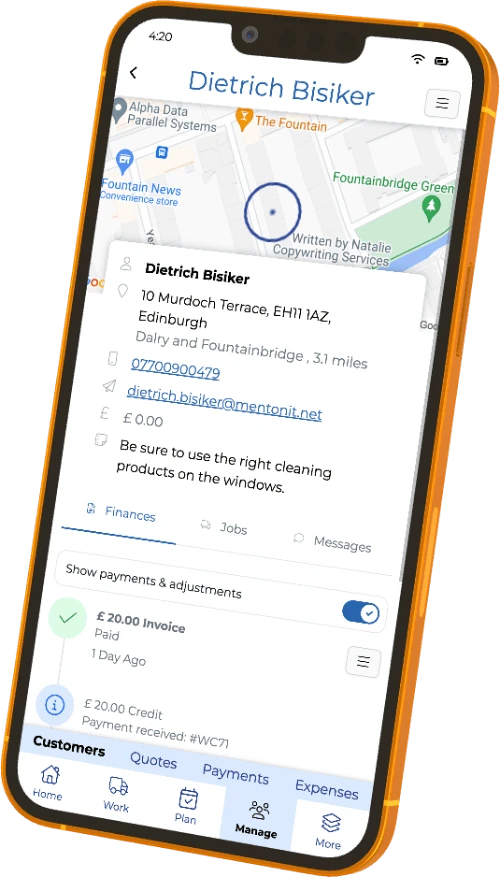
Tips are now easier to track properly, even when customers don't pay online.
Add tips to external payments
You can now record a tip when adding an external payment, like:
- cash
- bank transfer
- cheque
So your tip totals stay accurate, even when it's not a card payment.
Edit tip allocation after the fact
You can now adjust tip allocation for any existing payment, handy when something's been entered wrong and you want your reporting to stay clean.
(We all make mistakes. Usually when we're in a hurry, or it's raining sideways.)
Quotes: improved search, and easier cost breakdown management
We've made a few improvements to Quotes so it's quicker to find what you need, and easier to manage estimates without extra clicking about.
Smarter quote search
You can now:
- filter quotes by status
- filter by submitted date (before or after a specific date)
- save searches, so your favourite filters are one tap away next time
Estimate improvements
You can now:
- delete cost breakdowns if you need to start again
- download a cost breakdown as a PDF straight from getSoapy, no need to hop into the customer portal first
Download report chart data as a CSV
You can now download data from most report charts as a CSV file.
It's useful if you want to:
- share figures with your accountant or tax adviser
- run your own sums in a spreadsheet
- keep a record outside the app
To download it, look for the menu beside the chart and select Download data.
Improved file names for invoices and exports (your Downloads folder will thank you)
When you download a customer invoice or export data, the file name now includes more helpful details, so it's easier to spot the right file later.
- Customer invoices now include the customer code, invoice number, and date
- Exports now include the export type and the date range
This won't change your life, but it will stop your Downloads folder looking like a crime scene.
Help guides now show up in Search (new app design)
When you use Search in the new app design, you can now find help guides in your results.
So as well as customers, quotes, rounds, and pages, you'll also see relevant help articles, which means less digging about when you just want an answer.
Social links now appear in email notifications
We now include links to your social media profiles at the bottom of your emails, making it easier for customers to find and follow your socials.
Add your socials here: Settings > Business > Socials
Want these updates in your inbox?
Keep an eye on the in-app announcements, and if you've got feedback or requests, send them in. A lot of what shipped this month started with “any chance you could just…”.
For our latest monthly updates, read the June 2026 release recap.
For the full quarter in one view (January–March), read the Q1 2026 roundup.
In association with A.E. Mackintosh
In association with
A.E. Mackintosh

With 25 years in exterior cleaning, Ashley is a recognised industry expert. His content has helped thousands of people start successful window cleaning businesses.
We've teamed up with Ashley to make getSoapy the perfect app for any local service business.