April 2026 release recap
Posted by getSoapy on 4th May 2026 in Product Updates . Last updated: 2nd July 2026
April's updates are all about saving time on the stuff that quietly eats your day, finding customers faster, making routes easier to eyeball, and making invoices and messages less of a copy-and-paste job.
Here are the biggest changes, plus a quick list of the smaller improvements at the end.
Interactive maps in Customers, Rounds, and Work view
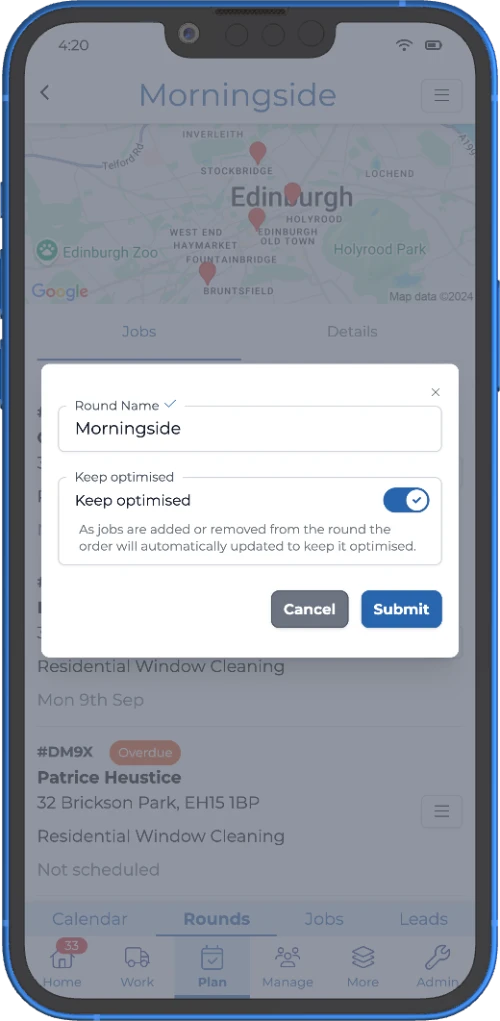
If you've got more than a handful of customers, a map beats a list every day of the week.
We've added interactive maps to a few key places, so you can see where your work is, tap around, and get your bearings without jumping between screens.
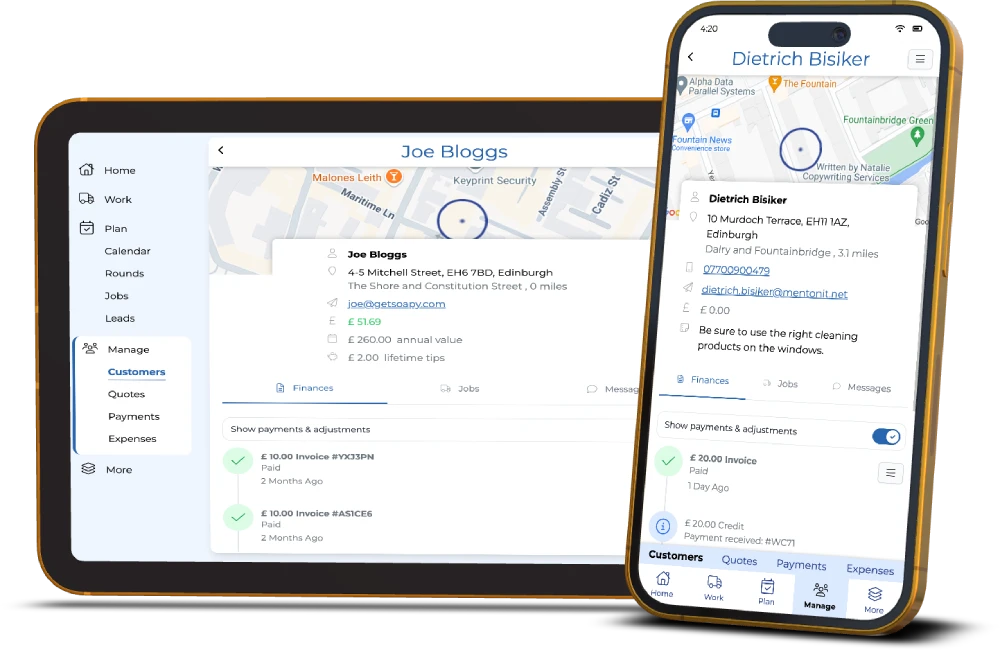
- Customers: see all your customers on a map, and tap one to select them
- Rounds: the map is now interactive, you can select jobs and see the order between them
- Work view: a map shows all jobs for the day and the order between them
If you're doing rounds, or you're trying to tighten up travel time, this pairs nicely with our route optimisation software for window cleaners.
Advanced merge tags in templates (Pro plan)
This is the update for anyone who's ever thought, “I want my messages to sound human, but I also want them to send themselves.”
You can now use advanced merge tags (powered by Liquid) in notification templates and invoice templates, which means you can show different text depending on the situation, instead of having one generic message for everyone.
A few real-world examples:
- say something different when a customer owes money, is paid up, or is in credit
- change wording for business vs individual customers
- include or hide text if a customer has a specific tag
- build your own conditions using existing merge tags
To get started, look for the {;} icon when editing a template, or ask Sid for a hand. Worth saying, Liquid is powerful but picky, so preview or send yourself a test first.
New Invoices page (plus quicker invoice checking)
We've made it easier to stay on top of invoicing without digging through individual customer records.
Browse all invoices in one list
There's a new Invoices page where you can view all customer invoices in one place, which is handy for chasing payments, checking what's been billed, or finding a specific invoice quickly. You also get a quick stats overview at the top.
(You'll find it under Tools → Invoices, and it's in the new design.)
Preview invoices
You can now preview an invoice to check the line-by-line breakdown and total, without downloading a PDF or leaving what you're doing.
Copy invoice links
You can copy both the direct link and the short link to an invoice, which is ideal when you're messaging a customer outside of getSoapy and just want to send a quick “here you go”.
If you're new to getSoapy and want to see where invoicing fits into the bigger picture, here's our guide to how to invoice window cleaning customers.
Other improvements (the “nice, that'll save me 30 seconds” list)
A few smaller updates that add up over a working week:
- Restore archived broadcasts, so you can bring them back and copy them to reuse, instead of rebuilding from scratch (handy if you use Broadcasts for last-minute availability or service updates)
- Sort customers by name, so finding someone doesn't turn into a thumb workout
- Better search in the combined Payments view (new design)
- Payments page overview stats, showing payments received, expected payments, and available for payout (with a 7-day or 14-day view, or you can turn it off)
- Ignore bank transactions before a chosen date, which helps when you first switch on bank reconciliation and don't want to deal with ancient history
- Improved tablet layout, with the menu moved into a left-hand drawer
If you want, you can help shape what we build next by voting in Feature suggestions (you'll find it under More/Settings → getSoapy → Feature suggestions).
For our latest monthly updates, read the June 2026 release recap.
For the full quarter in one view (January–March), read the Q1 2026 roundup.
Try getSoapy Pro
The best way to experience how getSoapy can help your business is to try it for yourself.
- 1 Month of Soapy Pro
- 25 Free Lead Credits
- 100 Free SMS Credits
- No payment details required
- Cancel any time