September 2026 release recap
Posted by getSoapy on 8th October 2026 in Product Updates . Last updated: 8th October 2026
September was a busy month in getSoapy. We shipped a mix of bigger updates and useful tidy-ups that make day-to-day work smoother. The theme this month is simple. Less faff, clearer communication, and fewer little jobs that eat your time.
If you missed last month, you can catch up with the August 2026 release recap.
Here's what landed.
Broadcasts can now go to the customer portal
You can now send broadcasts as customer portal messages, not just by email or SMS. That gives you another solid way to send one message to lots of customers at once.
This is a proper quality-of-life update for service businesses. If you need to tell customers about weather delays, last-minute space, service changes, or a general update, you can now post it straight into the place many of them already use to check messages, invoices, and account details.
Better still, each message stays in the customer's message history. So when someone says, "I didn't see that", you've got a clear record without digging through old texts or inboxes like a detective on minimum wage.
If you've got the Customer Message Sent notification turned on, customers can also get an email or SMS to nudge them towards the customer portal software.
Calendar updates that make more sense
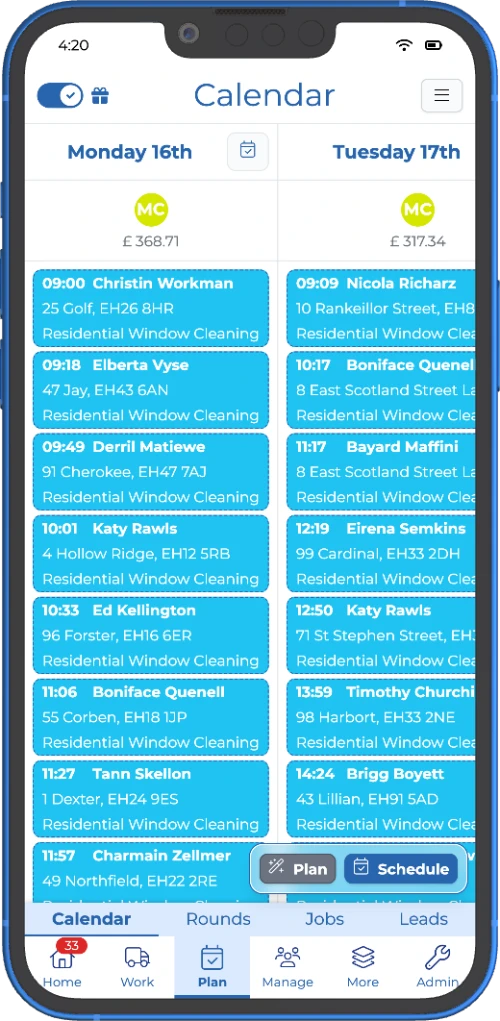
We made a batch of updates to the calendar, and they all head in the same direction. Making it easier to use when you're busy.
Multi-select for jobs now works more like the rest of the app. You can tap and hold a job to start selecting, which feels more natural and saves a bit of head-scratching.
We also improved offline mode support, which helps keep the calendar available and reduces odd mismatches when your signal is being its usual charming self.
On top of that, we cleaned up parts of the calendar UI, added a diagnostic tool for when something looks off, and made the new multi-week calendar the default.
None of that is flashy. Good. The best calendar updates are the ones that stop getting in your way.
Job changes are clearer in the work view
We tightened up the job menu and the Work view so it's easier to deal with changes on the fly.
You can now unschedule a job straight from the job menu. We also added an Assign user option, so you can give work to someone without having to reschedule the job at the same time. That sounds small, but it cuts out one of those annoying bits of admin that should have been simple in the first place.
The Work view is clearer too. It's now easier to spot skipped jobs, and rescheduled jobs are shown more clearly as well. That means your team can see what's changed at a glance instead of tapping in and out of jobs trying to work out what happened.
If you're comparing tools for day-to-day planning, this is exactly the sort of thing people want from a job scheduling app for trades. Less tapping about. More getting on with it.
More control over app notifications
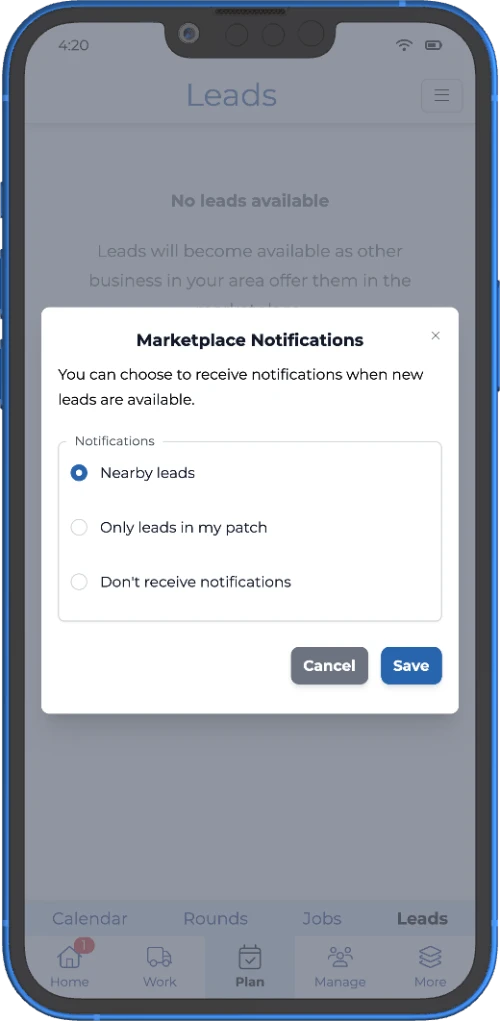
You can now choose which app notifications you get from getSoapy.
That means you can keep the alerts that matter, like payments received, payment issues, and customer messages, and switch off the rest. If your phone had turned into an overexcited Labrador, this should help.
We also improved the wording and detail in lots of notification messages, so you can see what's happened faster without opening the app every single time.
It is a simple change, but it matters. Better alerts mean fewer distractions and quicker decisions.
Payment receipts are now available
Customers can now get a payment receipt and download it from the customer portal.
That gives you a cleaner paper trail and gives customers one less reason to message asking if payment went through. For the businesses that like to keep things tidy, this is a very welcome addition.
You can also customise receipts in document templates, just like invoices, so the wording and layout fit your business better. It sits nicely alongside online invoicing and payments if you want a smoother way for customers to pay and keep track of it.
We also added a new Payment Received notification. It's off by default, but you can turn it on if you want customers to get told when money comes in.
Alongside that, we tidied parts of the add and edit screens for customers and jobs, plus the mark-as-done flow. The forms are grouped more neatly now, which makes them easier to scan and a bit less like hunting through a junk drawer.
Export expenses with receipt files
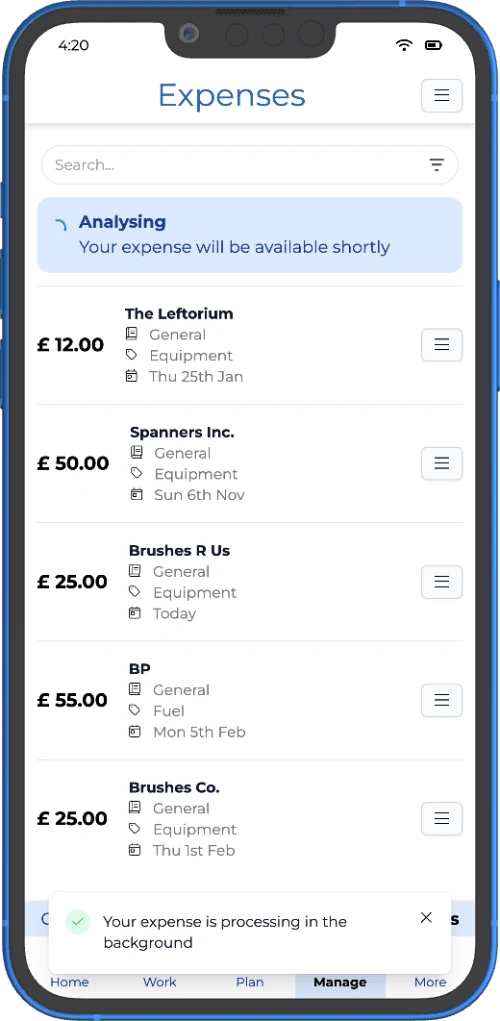
If you export expenses, you can now include receipt files as well.
Turn that option on and getSoapy will prepare a ZIP file with your expense CSV and any uploaded receipt images or files linked to those expenses. In plain English, that means you can send the lot to your accountant in one go.
No more piecing it together afterwards. No more hunting for a photo of a fuel receipt that definitely existed five minutes ago.
For any business that wants expense tracking for business without extra admin, this is the sort of update that quietly saves a load of hassle.
The short version
September's updates are all about making the app easier to live with.
You can send broadcasts to the portal. The calendar is cleaner and more reliable. Job changes are easier to spot. Notifications are more useful. Customers can get payment receipts. Expense exports now include receipt files.
None of this is there to look clever. It is there to save time, cut confusion, and help you get on with the work.
And frankly, that's usually the better kind of update.
Try getSoapy Pro
The best way to experience how getSoapy can help your business is to try it for yourself.
- 1 Month of Soapy Pro
- 25 Free Lead Credits
- 100 Free SMS Credits
- No payment details required
- Cancel any time

